How to Buy Domain & Hosting

Follow these 5 simple steps to purchase the hosting package and domain needed for your free website setup. We have highlighted exactly what you need to click.

Recommended hosting website

Open GreenGeeks using the button below. Your promotional offer is applied through this link. Keep this guide open in another tab so you can follow each step while completing your purchase.

Discount Link →
01
Start here

Open the recommended hosting website

Use our link below to go directly to GreenGeeks. Your promotional offer will be applied automatically at checkout.

Click here: Discount Link
02
Choose the hosting plan

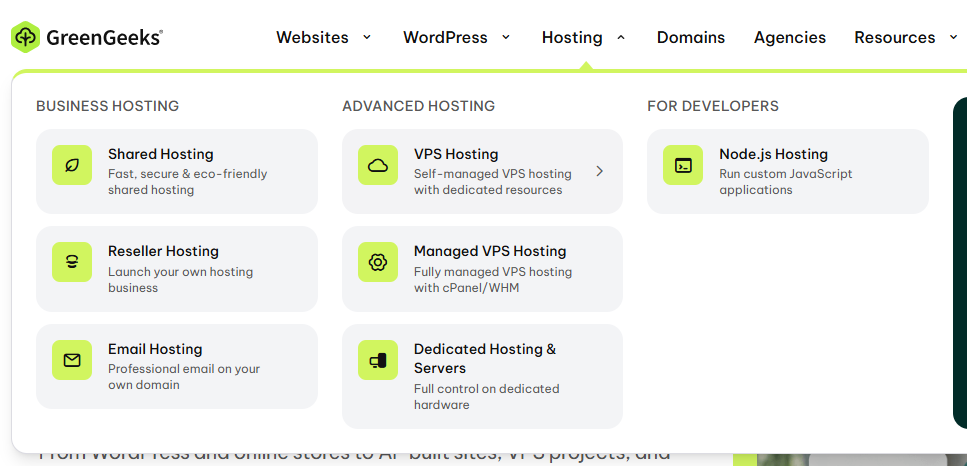
Go to Hosting → Shared Hosting → choose Lite

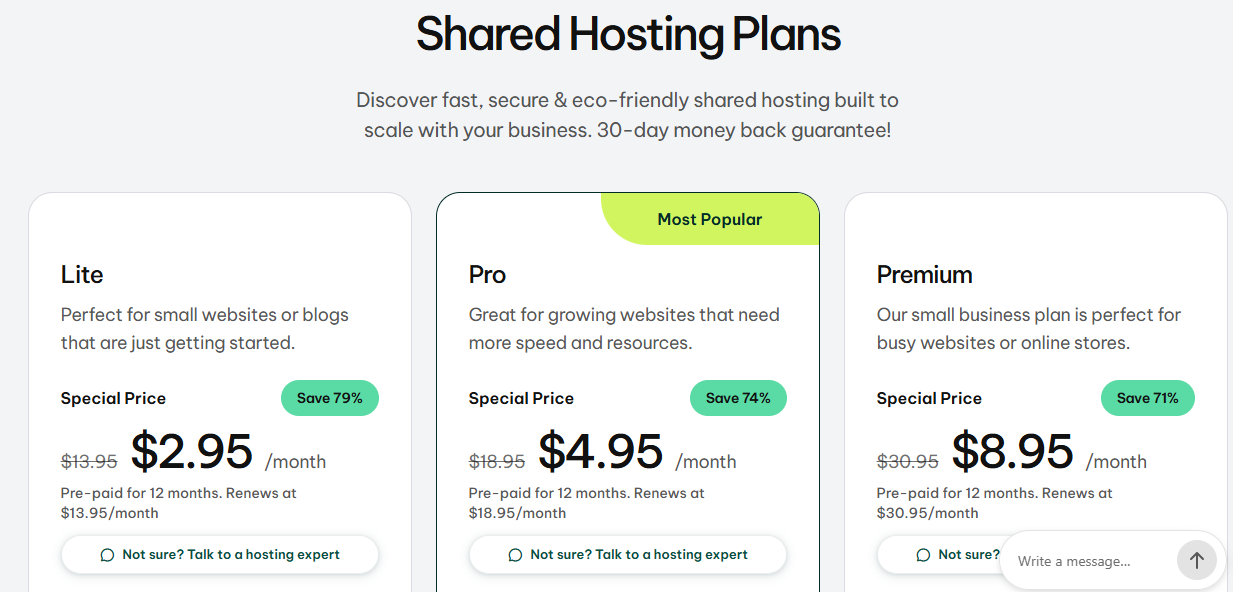
From the GreenGeeks menu, open Hosting, then choose Shared Hosting. On the plans page, select the Lite package and click Get Started.

Recommended package: Lite — this is enough for the OneSiteFree website setup.
Open Hosting → Shared Hosting
GreenGeeks Hosting menu showing Shared Hosting 1 Click Shared Hosting
Select the Lite package
GreenGeeks Shared Hosting plans showing the Lite package 2 Choose Lite
03
Register your domain

Enter the domain name we suggested

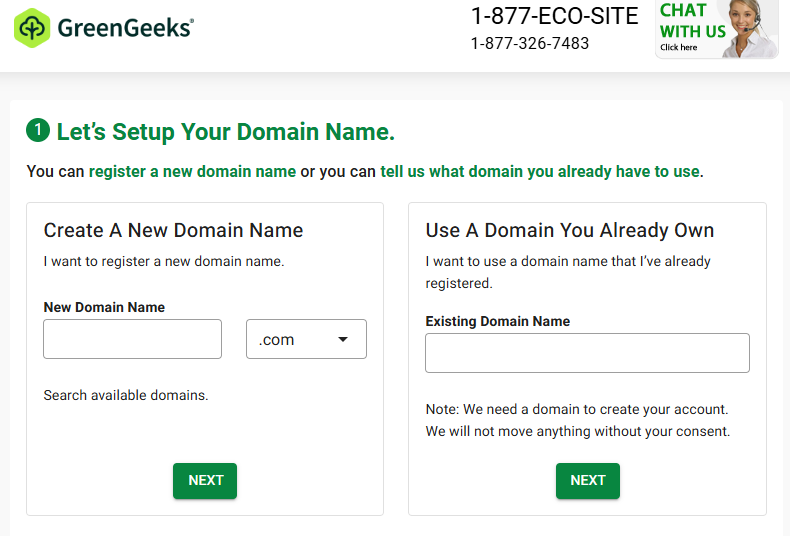
In the Create A New Domain Name section, type the domain name we suggested for your website. Choose the correct extension such as .com, then click Next.

Important: Enter only the domain name you agreed with us. Double-check the spelling before continuing.
Create a new domain name
GreenGeeks new domain name search form 3 Enter your domain here
04
Account information & add-ons

Enter your real details and review the WHOIS Privacy option

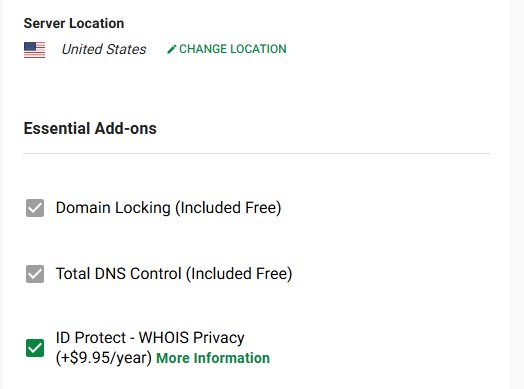
Complete the account information form using your real and correct personal details. Then review the ID Protect – WHOIS Privacy option.

If you de-select ID Protect – WHOIS Privacy, the additional $9.95/year will be removed from the total. If you prefer to keep your domain ownership information private, you may leave this option selected.
Optional WHOIS Privacy
GreenGeeks ID Protect WHOIS Privacy add-on 4 Optional add-on — uncheck to remove $9.95/year
05
Complete your purchase

Review the total, create your account and pay

After reviewing the order, complete the account creation and payment. Your total should be around $35.40 based on the current setup shown in this guide. The final amount can vary depending on your country, taxes, currency conversion, or optional add-ons.

Lite hosting packageSelected
WHOIS PrivacyOptional
Example order total$35.40
The amount displayed by GreenGeeks at checkout is the final amount you should use. Taxes and regional charges may be different.
After payment: GreenGeeks may manually review the order. Confirmation can take approximately 15–30 minutes. Once you receive the confirmation email, submit the hosting login details through your OneSiteFree status page so we can start your website setup.

Submit your hosting details here:
https://onesitefree.com/status.php

Need help while purchasing?

If anything looks different on your screen or you are not sure which option to choose, contact us before completing the payment. We will help you with the next step.